
Alright, let’s talk about something we all dread: paperwork. Specifically, PDFs. For years, they were the bane of my existence. Every time I received a document in PDF format that needed my signature, or heaven forbid, needed to be *filled out*, I’d groan inwardly. The ritual was always the same: open the document, realize I can’t type into it, print it out, find a pen that wasn’t dead, meticulously fill in the blanks by hand (and inevitably make a mistake), scan it back into my computer (if my old clunky scanner decided to cooperate), save it as a new PDF, and then finally email it. Sometimes, I even had to *fax* things, which felt like a relic from another century. It was a time sink, a printer ink guzzler, and an endless source of frustration. My desk would be buried under half-finished forms, and my recycling bin would fill up with printouts that had a single typo. I tried various free online tools, but they were often clunky, riddled with ads, or just didn’t do what I needed them to do reliably. The whole process was an archaic dance that consumed valuable hours of my life, hours I could have spent doing, well, literally anything else.
Then, a few years ago, a friend mentioned PDFfiller in passing. She was raving about how easy it made her life for managing client contracts. I was skeptical, having been burned by many so-called “easy solutions” before, but I was also desperate. I decided to give it a shot. And let me tell you, it was like stepping out of the Stone Age and into, well, at least the early 21st century. The difference was night and day. It wasn’t just another online pdf filler; it was a comprehensive solution that actually delivered on its promises.
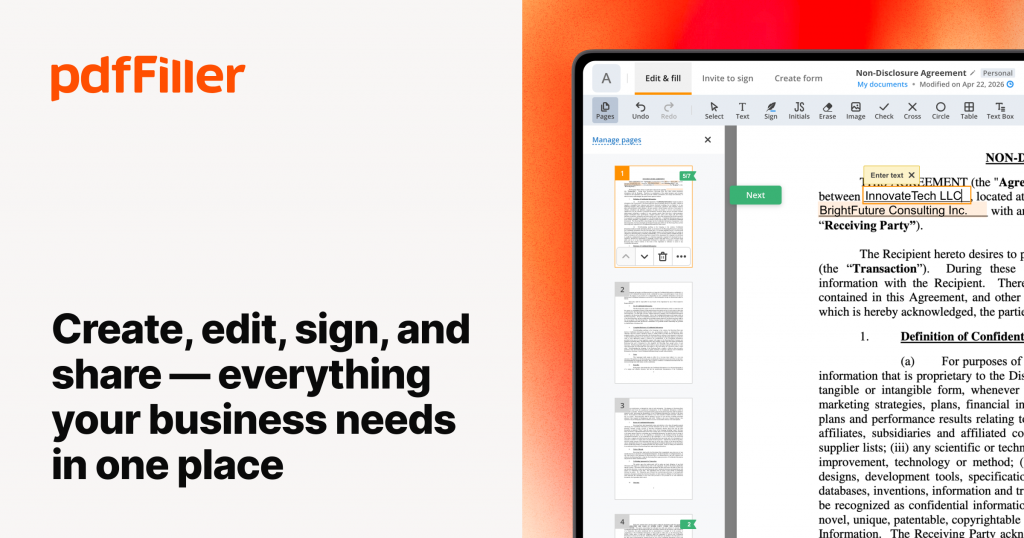
My first interaction was with a lease agreement for a new apartment. It was a multi-page document, full of tiny boxes and lines that typically required the precision of a surgeon to fill out neatly. With PDFfiller, I simply uploaded the document, and within seconds, I was typing directly into the fields. The text automatically adjusted to fit, and I could even choose the font and size to match the existing document. It felt almost magical. I completed the entire lease, including my signature, in under 15 minutes – a task that would have previously taken me an hour, a printer cartridge, and probably a few muttered curses. That’s when I realized this wasn’t just a band-aid; it was a fundamental shift in how I handled digital documents.
More Than Just Filling: My Everyday Use Cases with This PDF Filler
What started as a simple need to fill out forms quickly evolved into using PDFfiller for almost every document-related task. It’s truly a versatile tool that goes way beyond its name.
**Effortless Form Filling & Text Editing:**
This is, of course, the core functionality, and it’s where PDFfiller shines. Whether it’s an insurance claim, a medical questionnaire, or a job application, I can upload any PDF and instantly start typing. No more trying to align text boxes perfectly or guessing font sizes. The Smart Text feature often helps me align text with existing lines, which is a lifesaver for documents that weren’t originally designed for digital input. I’ve also found myself using it to add notes or comments to PDFs I’ve received for review – a quick text box here, an arrow there, and boom, feedback is clearly communicated without needing to convert anything.
**My Personal Story: The Freelancer’s Best Friend**
As a freelancer, contracts are a daily reality. Before PDFfiller, every new client meant printing a contract, signing it, scanning it, and then often having to send it back to the client who would then repeat the process. It was slow and unprofessional. Now, I upload my standard contract template to PDFfiller, add the client’s specific details, pop in my digital signature, and send it directly from the platform. The whole process takes minutes. I even use it to create simple invoices on the fly from a template I designed within the platform itself. It’s streamlined my administrative tasks so much that I can focus more on my actual work. This pdf filler is an absolute game-changer for anyone in business for themselves.
**Digital Signatures: A True Time-Saver:**
Electronic signatures are not just convenient; they’re legally binding and secure. With PDFfiller, creating and applying my signature is incredibly simple. I can draw it with my mouse or trackpad, type it out in various styles, or even upload an image of my wet signature. Once it’s in there, it’s saved for future use. This has been invaluable for signing everything from rental agreements to bank forms to permission slips for my kids’ school trips. No more frantic searches for a pen or a working scanner when a deadline looms. The ability to sign documents from anywhere, on any device, has given me so much flexibility. I’ve signed contracts from coffee shops, airports, and even while on vacation – something that would have been impossible just a few years ago.
**Editing & Annotating Like a Pro:**
This is where PDFfiller really starts to differentiate itself from basic tools. It’s not just for filling; it’s a full-fledged editor. I can redact sensitive information (perfect for sending redacted documents for review), add images (like my company logo to a proposal), highlight important sections, or even rearrange, delete, or add pages to a PDF.
For instance, I recently had to submit a portfolio of work, and some of the files were individual PDFs. I used PDFfiller to merge them all into one cohesive document, reordered the pages to present them logically, and then added a custom cover page. It looked incredibly professional, and I couldn’t have done it so easily without this pdf filler.
**Conversion & Integration: Working Smarter, Not Harder:**
Sometimes, you need to turn a PDF into something else. PDFfiller allows me to convert PDFs to Word, Excel, PowerPoint, or even image files. This has saved me countless hours when dealing with data locked in PDFs that I needed to analyze in a spreadsheet, or when a colleague absolutely *insisted* on an editable Word document. The conversions are surprisingly accurate, maintaining formatting much better than other tools I’ve tried. Plus, its integration with cloud storage services like Google Drive, Dropbox, and OneDrive means I can access and save my documents directly without extra downloads and uploads. This seamless workflow is incredibly efficient. To truly understand the breadth of what it can do, I highly recommend checking out the official website: Visit Official Website Now
**Collaboration & Security:**
I often need to share documents with colleagues or clients for review or co-signing. PDFfiller’s sharing features allow me to send documents securely, track who has viewed or signed them, and even set permissions. This cuts down on email chains and ensures everyone is working on the most current version. On the security front, knowing that my sensitive documents are handled with industry-standard encryption and compliance measures (like HIPAA and PCI DSS) gives me peace of mind. It’s a crucial aspect when dealing with personal or business data, and it’s something I absolutely prioritize in any tool I use.
What Others Are Saying About This PDF Filler
It’s not just my experience; I’ve seen countless others praise PDFfiller for its robust features and user-friendliness. Here are a few sentiments that echo my own journey:
* “I used to dread anything that came as a PDF. Now, with this pdf filler, it’s a breeze! I get contracts signed and sent back in minutes, which is a huge boost for my small business.” – *Sarah P., Small Business Owner*
* “The ability to not just fill but also truly edit PDFs – like redacting sensitive info or adding images – has made my job so much easier. It’s way more powerful than just a simple form filler.” – *Mark R., Legal Assistant*
* “I travel a lot for work, and being able to access and sign documents from my laptop or even my phone, no matter where I am, has been a lifesaver. This pdf filler gives me so much flexibility.” – *Jessica L., Sales Executive*
* “Customer support was incredibly helpful when I had a question about integrating with my cloud storage. It’s rare to find a service that’s both powerful and backed by great support.” – *David K., Project Manager*
These stories confirm that I’m not alone in finding this tool incredibly useful. It resonates with a wide range of users because it addresses common pain points with practical solutions.
My Personal Highlights and Game-Changers
There are a few aspects of PDFfiller that truly stand out for me and have become indispensable:
1. **The “Fax” Feature:** Yes, you read that right. In this digital age, sometimes you still encounter an institution that *only* accepts faxes. Instead of scrambling to find an old fax machine or an expensive fax service, PDFfiller has a built-in fax sender. I’ve used it for sending medical records and specific legal documents. It’s incredibly convenient and has saved me from some very retro headaches. It’s a niche feature, but when you need it, it’s golden.
2. **Creating Fillable Forms from Scratch:** This is an advanced feature but one that I’ve leveraged for my business. Instead of paying a designer to create fillable PDF forms for client intake, I can now design and create them myself within PDFfiller. I can add text fields, checkboxes, radio buttons, dropdowns – everything needed to make a professional, interactive form. This has cut down costs and given me complete control over my documents. It transforms a static document into a dynamic, user-friendly experience.
3. **Audit Trail and Version History:** For important documents, especially contracts, knowing exactly *when* a document was signed and by *whom* is crucial. PDFfiller provides an audit trail for every document, showing me a complete history of all actions taken on it. This adds an extra layer of security and transparency, which is vital for compliance and dispute resolution. It’s one of those features you don’t think you need until you *really* need it, and then you’re so glad it’s there.
4. **Mobile Accessibility:** As I mentioned, I’m often on the go. The fact that PDFfiller works seamlessly across my desktop, laptop, and mobile devices means I’m never truly disconnected from my documents. I can review a contract on my tablet during a commute or sign a quick form on my phone while waiting in line. This flexibility is incredibly empowering and keeps my workflow smooth, regardless of my location. It’s truly a portable pdf filler solution.
To see how these features can fit into your life, explore their site: Visit Official Website Now
The Good and the Not-So-Good (Because Nothing’s Perfect!)
While I’m clearly a huge fan, I want to give you a balanced perspective.
**The Good:**
* **Incredibly Intuitive Interface:** Despite its powerful features, the platform is remarkably easy to navigate. Most functions are self-explanatory, and there are helpful tutorials if you get stuck.
* **Comprehensive Feature Set:** From basic filling and signing to advanced editing, merging, converting, and secure sharing, it covers almost every imaginable PDF need. It truly functions as an all-in-one pdf filler and editor.
* **Cloud-Based Convenience:** Access your documents from anywhere, anytime, on any device. No software installations needed.
* **Robust Security:** Compliance with major security standards offers peace of mind for sensitive documents.
* **Time and Money Saver:** This is perhaps the biggest benefit. It saves me hours of administrative work and cuts down on printing and scanning costs.
**The Not-So-Good (Minor Points):**
* **Subscription Model:** Like most powerful software services, PDFfiller operates on a subscription basis. While I find the value far outweighs the cost for my needs, it’s an investment, and free users might miss some of the advanced features. However, for serious users, the paid features are worth every penny.
* **Initial Learning Curve for Advanced Features:** While basic form-filling is a breeze, some of the more advanced editing or form creation tools might take a few minutes to get the hang of. It’s not complex, but there’s a slight learning period if you want to use it to its full potential.
* **Occasional Slowdowns:** Very rarely, with extremely large or complex PDFs, I’ve noticed a slight lag, but this is infrequent and usually resolves itself quickly. This is often more related to my internet connection than the software itself.
Is PDFfiller Right for You?
If you’re someone who regularly deals with PDFs – whether it’s for work, school, personal finances, or managing a household – then yes, I genuinely believe PDFfiller is a tool worth exploring.
* **Small Business Owners & Freelancers:** For managing contracts, invoices, client onboarding forms, and internal documents, it’s an indispensable asset.
* **Students:** For filling out applications, sharing papers with annotations, or even creating digital portfolios.
* **Busy Professionals:** Anyone looking to streamline their workflow and eliminate paper-based processes.
* **Parents & Home Managers:** For school forms, insurance claims, rental agreements, or any other household paperwork.
It’s about reclaiming your time and sanity from the tyranny of paper documents. It’s more than just a pdf filler; it’s a productivity enhancer.
My Final Thoughts and Recommendation
I started this journey out of sheer frustration with an outdated way of handling documents. What I found in PDFfiller was not just a temporary fix, but a permanent solution that has genuinely improved my day-to-day life and professional workflow. It has transformed the tedious, time-consuming process of managing PDFs into something quick, efficient, and even enjoyable.
If you’re still printing, signing, and scanning, or wrestling with clunky software, I encourage you to check it out. You might just wonder how you ever managed without it. Give yourself the gift of efficiency and put an end to your paperwork woes. You can explore all its features and start your own journey towards a paperless, stress-free document management system by visiting their site: Visit Official Website Now. Trust me, your printer will thank you, and so will your precious time.